


How to open the data file of other software in EfficientPIM?
- 1. Find the data file of your former software in your computer, pls kindly follow the guide:
/tech-faq/how-can-i-know-the-specific-location-of-my-efficientpim-data-file.htm
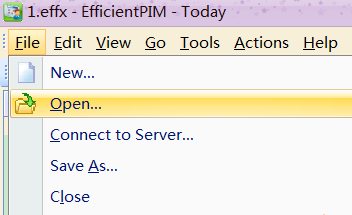
2. Install EfficientPIM atLhttp://www.efficientdownload.com/es/EfficientPIM-Setup.exe, and open it.- 3. Click File-->Open, open the data file is ok
This article is also suitable for EfficientPIM, Efficient Man's/Lady's Organizer, Efficient Reminder, Efficient Address Book, Efficient Notes, Efficient Diary, Efficient Password Manager, Efficient Calendar, Efficient To-Do List, and Efficient Sticky Notes.