


How to make the age of birthday or anniversary showing in Reminder Window?
There are two methods for you to set it:
Method one
-
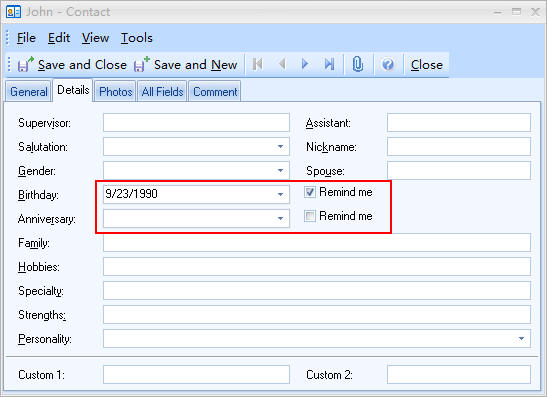
After you enter the Contacts Module, please click New Contact to enter contact-editing window. Firstly, click Details Tab. And then click the drop-down menu of Birthday/Anniversary to set the date of your contact's birth. At last, select Remind me.
Method two
- After you enter the Events Module, please click New Event to enter event-editing window.
- After input your information, please click the drop-down menu of Label and choose Birthday/Anniversary. (Tip: Please set the date of birth as the start time)
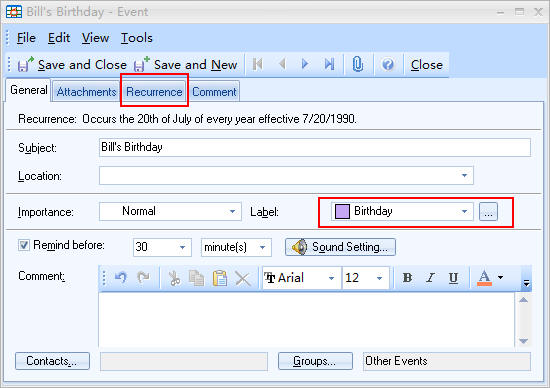
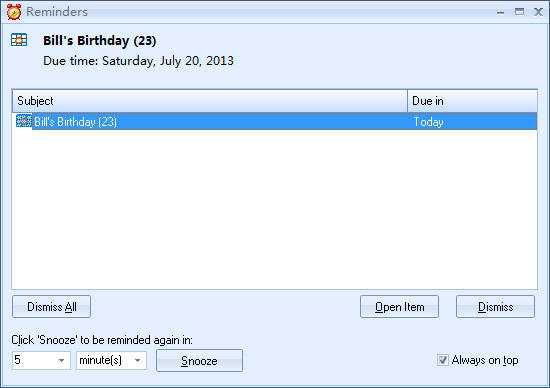
- Please click Recurrence in the event-editing window to set this event occurs yearly. After that, the reminder window will display the age of his/her birthday.
This article is suitable for EfficientPIM, Efficient Man's/Lady's Organizer, Efficient Reminder, Efficient Address Book, and Efficient Calendar.